

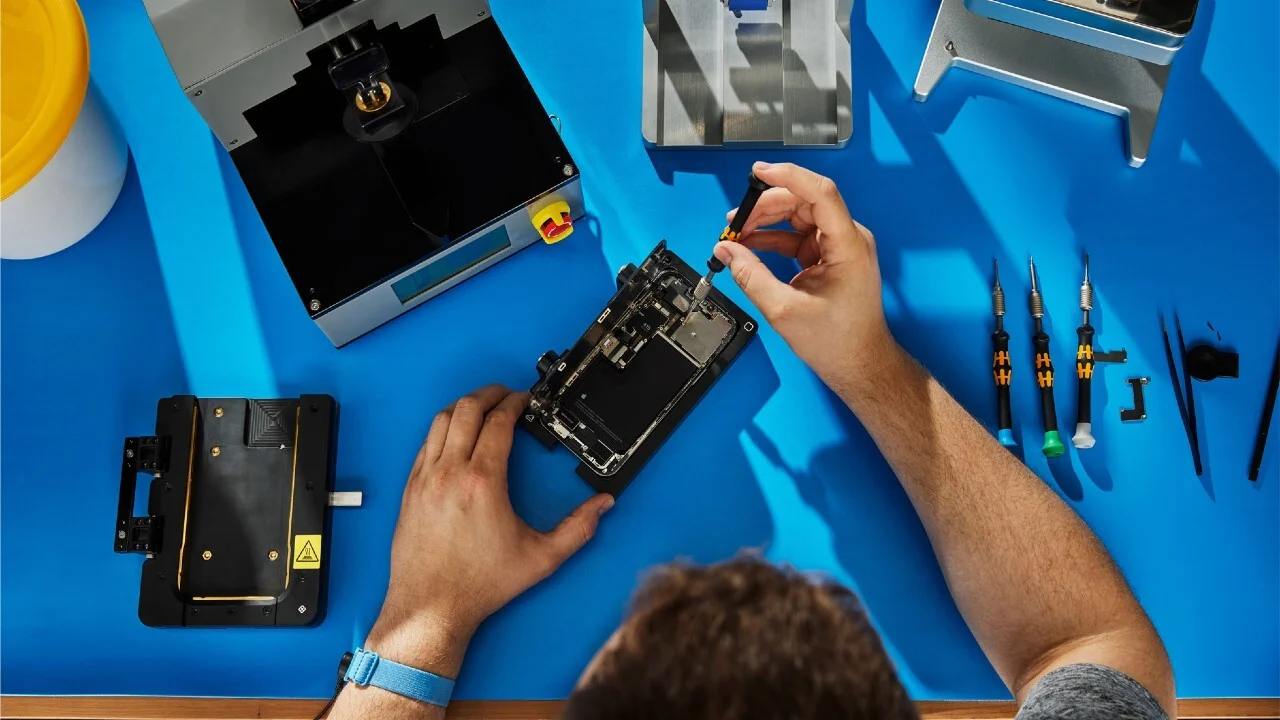
Before you get an iPhone screen repaired, check the quality of the repair, the type of replacement screen, the warranty and the final cost. If it affects touch response, display quality or other phone features, a cheap fix may not be the best option. Also back up your data before the repair and confirm that the technician uses parts made for your specific model. These steps will make iPhone screen repair easier and safer.
Key Takeaways
- Verify the quality of the replacement screen. Ask whether the repair uses an original, refurbished, or third-party screen. The type of part can impact display quality and touch performance.
- Compare the cost of the full repair. Get the full price before you OK the work. This way, you can easily compare repair options with no surprise charges.
- Ask about a warranty on repairs. A clear warranty provides protection if the screen develops issues after installation. Check what the warranty covers and how long it lasts.
- Choose repair experience over the lowest price. Skilled technicians are less likely to cause further damage during installation. A reliable technician should also test the screen and phone functions before returning the device.
Assess the Damage Before Scheduling a Repair
Start by checking how the screen is behaving. A small crack with normal touch response is different from a display that flickers or stops responding. Knowing the symptoms helps the technician understand what happened. It also prevents you from assuming that a screen replacement will fix every problem.
Minor Cracks vs. Serious Screen Damage
A small crack may only affect the outer glass. The display can still show images normally and the touch function may continue working across the screen. Larger cracks deserve more attention. Broken glass can become sharper as cracks spread across the screen. It can also leave parts of the phone exposed to dust or moisture.
Check the entire screen before arranging service. Look for areas that do not respond to taps or swipes. If the phone works normally apart from cracked glass, tell the technician exactly what you have noticed.
Signs of Internal Display Problems
Some damage is easy to spot while other problems appear only after using the phone. Black spots, flickering, lines, distorted colors, or dark areas can indicate display damage. Touch issues are another warning sign. The screen may fail to respond in one area or register touches incorrectly.
A completely black display does not always mean the screen itself is broken. A loose connection or internal hardware problem could be responsible. The technician should inspect the phone before recommending a replacement.
When Other Repairs May Be Needed
A drop can damage more than the screen. The frame may bend or other components may stop working after the same impact. Check the cameras, speakers, microphone, charging port, and buttons. Look for other problems that started after the phone was dropped. Tell the technician about anything unusual. A screen replacement will not correct a separate hardware fault.
Understand What an iPhone Screen Repair Includes
Ask what you are paying for before approving the repair. Screen replacement generally involves removing the damaged display assembly and installing a replacement. The replacement part can vary between repair shops. Some providers use genuine parts while others use compatible alternatives. The difference may affect the phone’s appearance and performance.
What Screen Replacement Can Fix
A replacement screen can correct problems caused by a damaged display. It can restore touch response when the touchscreen itself is faulty. It may also remove visible display issues such as lines, dark areas, or severe image distortion. The exact result depends on what caused the problem.
Explain all of the symptoms before the repair begins. Ask the technician which issues they expect the new screen to resolve.
What Screen Replacement Cannot Fix
Replacing the screen will not repair every problem caused by an accident. Internal hardware can remain damaged even after a new display is installed. A faulty camera, charging port, speaker, microphone, or battery needs separate attention. A damaged frame can also affect how a replacement screen fits. Do not assume that every issue started with the display. Tell the technician about all known problems before work begins.
Why Screen Quality Matters
The replacement screen has a direct effect on everyday use. Poor-quality parts may have weaker brightness or less accurate colors. Touch sensitivity can also feel different. Some replacement screens may not provide the same experience as the original display.
Ask which part will be installed and whether it comes with a warranty. A repair shop should be able to explain the available screen options clearly.
How to Choose the Right iPhone Repair Service
The repair shop can have as much impact on the result as the replacement part. Look beyond the advertised price when comparing providers. Check the shop’s reputation and ask a few direct questions before leaving your phone. Clear answers usually make the repair process easier to understand.
Check Reviews and Experience
Read recent customer reviews before choosing a repair provider. Pay attention to comments about repair quality and customer service. Experience with your specific iPhone model is also useful. Different models have different designs and repair requirements.
Ask who will perform the repair and how familiar they are with the model. Be cautious if the shop cannot explain the work or replacement part clearly.
Compare Screen Quality and Warranty Coverage
Two shops may quote different prices because they use different replacement screens. Ask what type of part is included in each quote. Warranty coverage deserves the same attention. Find out how long the warranty lasts and what it covers.
Ask whether issues with the replacement screen are included. Keep the receipt or repair record after the service in case you need to make a warranty claim.
Evaluate Pricing and Turnaround Time
Get the total repair price before approving. Ask if the quoted amount could change after the technician examines the phone. The cheapest option may not provide the best value if it uses a lower-quality part or offers limited warranty coverage.
Repair time can also vary based on the iPhone model and part availability. Ask when the phone should be ready. A clear estimate helps you plan around the repair.
What to Do Before Handing Over Your iPhone
Take a few minutes to prepare the phone before leaving it with a technician. The most useful step is creating a recent backup.
Back Up Your Data
Create a current backup before handing over your iPhone. You can use iCloud or back up the device through a computer. Check the backup before handing over the phone to make sure your important information has been saved.
Follow the repair provider’s instructions for preparing the phone. Avoid giving the technician access to information they do not need for the repair.
Share Any Existing Device Issues
Tell the technician about problems that existed before the screen damage. Mention issues with charging, cameras, speakers, buttons, or touch response. This gives the technician a better understanding of the phone’s condition. It can also prevent confusion if another problem appears during the repair.
Mention any previous drops or liquid exposure. That information may help the technician identify damage that is not visible from the outside.
Test Your Phone After the Repair
Inspect the screen before accepting the completed repair. Move your finger across the entire display and check that touch response works properly. Look for dead areas, flickering, unusual colors, or brightness problems. Check both cameras and test the speakers and microphone.
Try charging the phone and check the physical buttons. If possible, make a test call before leaving. Report any problem immediately. It is easier for the repair shop to inspect the device while the repair is still fresh.
Conclusion
A cracked iPhone screen may involve more than damaged glass. Check the display and touch response before arranging service. Ask what the replacement includes and find out which type of screen will be installed. Compare repair providers based on experience, reviews, warranty coverage, price, and turnaround time. Back up your data before handing over the phone and explain any existing problems. Once the repair is finished, test the screen and other features carefully. A little preparation can help you avoid problems with iPhone screen repair.
Read More: Things to Consider Before Booking Phone Repair in New York